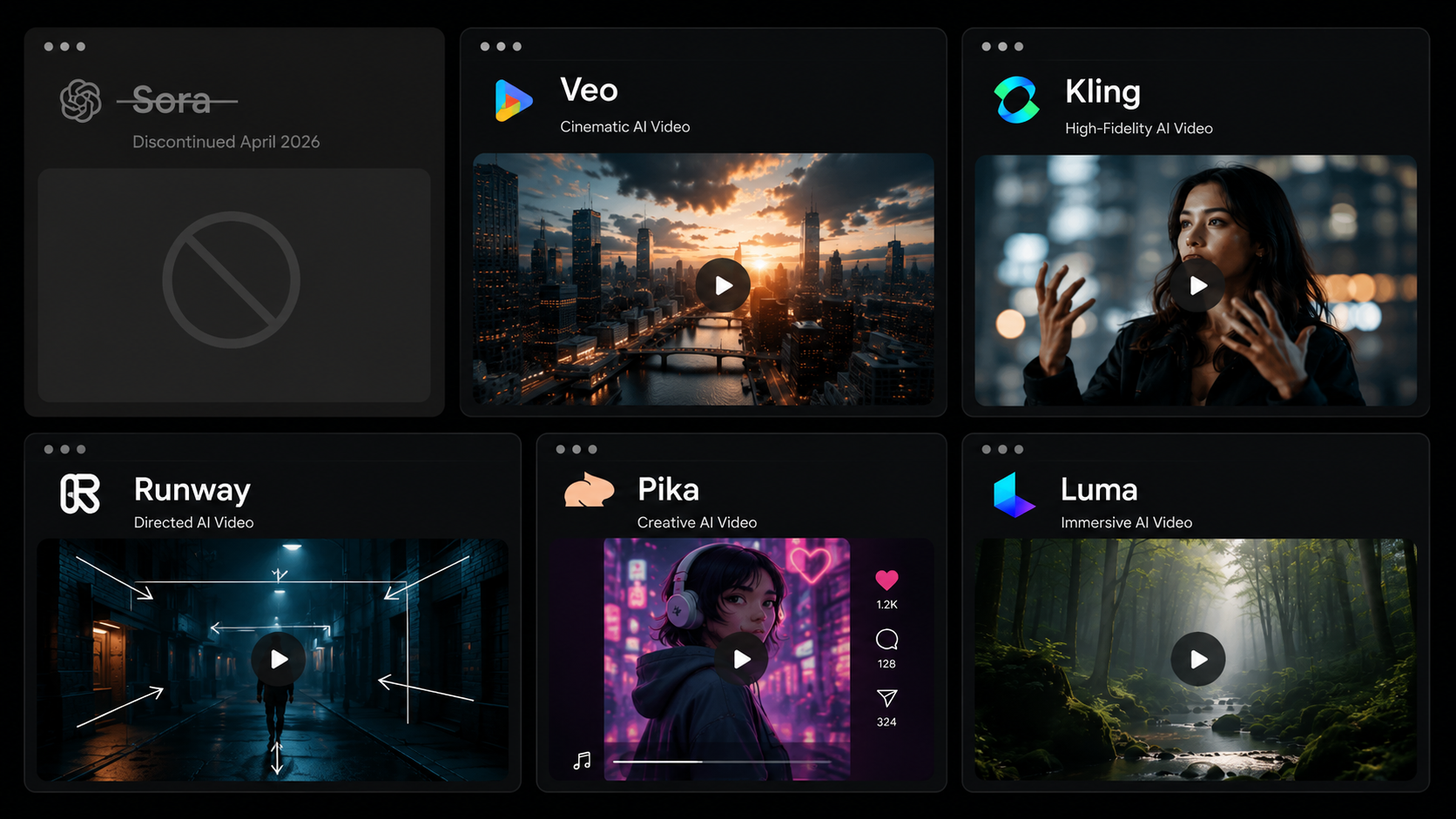
On April 26, 2026, OpenAI quietly shut down the Sora web and app experience — the AI video generator that had dominated creator conversation since its splashy February 2024 debut. The API follows on September 24, 2026. Internally, Sora reportedly burned through an estimated $15 million per day in compute costs while generating just $2.1 million in total lifetime revenue. The technology was genuinely impressive. The economics were not.
For creators who had built any part of their workflow around Sora, the shutdown created an immediate practical question: what now? For everyone else, it clarified something the AI video space has been muddling toward for the past year: the era of hype-driven tool selection is over. In mid-2026, the market has matured, the real contenders are clear, and the right choice depends entirely on the job you are trying to do.
This is a use-case-first guide to the five AI video generators that actually matter in 2026 — what each is genuinely good at, what each costs, and which one fits your workflow. It ends with a clear verdict by creator type so you can stop researching and start generating.
Why the Tool You Pick Now Matters More Than It Did in 2024
A year ago, picking an AI video generator was mostly about access — which waitlists you were on, which models were available in your region, whether you could afford the early pricing. The tools were impressive but inconsistent, and most creators used whichever one produced the least broken output on a given day.
In July 2026, that calculus has changed. The major models — Veo 3.1, Kling 3.0, Runway Gen-4.5, Pika 2.5, and Luma Ray3 — have stabilised into distinct personalities and genuine specialisations. They are no longer interchangeable. Choosing wrong means paying for a tool optimised for a job you are not doing: a social creator paying for Runway's professional filmmaking controls they will never use, or a brand team relying on Pika's 5-second clip limit for hero product videos.
Every major model in 2026 can make a clip move. The question is which tool fits the job you are actually trying to do.
The Five Tools That Actually Matter
🎬 Google Veo 3.1
Price: $28.99/mo (Google AI Pro) or via Adobe Firefly at $9.99/mo Best for: Cinematic ads, marketing hero shots, brand video, audio-led content
The strongest all-around output in 2026. Best native audio of any tested model. Highest per-clip quality but no free tier and priciest standalone plan.
Veo 3.1 is the benchmark model of 2026 — consistently cited across independent testing as the quality leader on prompt adherence, native audio synchronisation, and long-clip fidelity. If your work requires video that looks like it was shot rather than generated, Veo is the starting point. The trade-off: no free tier, and at $28.99 a month for Google AI Pro access, it is the most expensive option in this comparison. The workaround: Veo 3.1 is now a selectable model inside Adobe Firefly at $9.99 per month — a significant pricing advantage for creators already in the Adobe ecosystem.
🎯 Kling 3.0
Price: ~$10/mo | ~$0.11–$0.14/sec API Best for: Reels, TikToks, photorealistic humans, high-volume social production, budget iteration
The community favourite and the value winner. 65% cheaper than Sora was. Multi-shot sequences up to 15 seconds. Best-in-class realistic human motion.
Kling 3.0, released in early 2026, is the tool Reddit's AI video communities and independent creators keep returning to — and the pricing is the primary reason. At roughly $0.11 to $0.14 per second of generated video, it is 65% cheaper than Sora's pricing and 44% cheaper than Runway per second of output. The quality justifies the price: Kling's human motion and lip-sync are the most natural of any model in this comparison, which matters significantly for social content featuring people. Multi-shot sequences up to 15 seconds, with Kling's Elements 3.0 feature maintaining subject consistency across camera angles, represent a genuine technical leap for narrative short-form content. For creators running high-volume Reels or TikTok production, Kling is the clear value call.
🎥 Runway Gen-4.5
Price: $12/mo Standard | API pricing variable Best for: Professional filmmaking, client work, ads requiring precise camera control, complex editorial workflows
The director's tool. Steepest learning curve of any model here but the finest camera control. Built for power users who want to direct, not just prompt.
Runway Gen-4.5 occupies a distinct position in this comparison: it is not the best model for raw generative output quality — Veo 3.1 and Kling 3.0 beat it on realism in most independent tests — but it is the best creative platform for creators who need to direct rather than generate. Multi-motion brush controls, keyframe-level camera direction, scene expansion, restyling, and workflow chaining give Runway capabilities that the other tools in this list simply do not have. The community shorthand is apt: Runway is a creative experimentation platform that happens to include a strong video generator, not primarily a one-shot generation tool. It rewards investment in learning its interface and is better suited to professional workflows than to daily social content production.
✨ Pika 2.5
Price: $8/mo Basic Best for: Short social content, quick creative experiments, stylised effects, budget entry point
The most accessible and most limited. Pikaffects, Pikaswaps, and Pikaformance are genuinely creative tools. The 5-second hard clip limit and 480p on Basic are real constraints for production use.
Pika 2.5 is the right tool for a specific type of creator: someone who needs to iterate quickly on short-form social content and values creative manipulation tools over cinematic realism. Pika's unique toolkit — Pikascenes for full scene generation, Pikaswaps for element replacement in existing video, Pikatwists for style transformation, Pikaffects for visual effects, and Pikaformance for talking-image lip-sync — makes it a genuinely creative sandbox. The constraint is fundamental: 5 seconds per clip, 480p resolution on the Basic plan. This is not a production limitation that future updates will fix — it is a design choice that makes Pika unsuitable for anything requiring duration or broadcast-quality resolution. Use it for experimentation and social hooks. Do not try to build a client deliverable on it.
🌊 Luma Ray3
Price: ~$9.99/mo Best for: Atmospheric scenes, depth-driven visuals, nature content, creative mood pieces, elegant iterative workflow
Most beautiful UX in this comparison. Excels at calm, depth-rich, atmospheric output. Less competitive on fast motion or urban/commercial realism.
Luma's Ray3 model has found a distinct aesthetic niche: it consistently produces the most visually elegant output in this comparison when the brief involves depth, light, natural environments, and atmospheric mood. Independent testers note that Luma handles 'volume' — the sense of real three-dimensional space in a scene — better than most competitors. Where it falls short is commercial realism for products or people, and high-motion content. Think of it as the tool for the establishing shot or the mood sequence, not the product demo or the social hook. Its UX is the most refined of any tool in this comparison — a meaningful practical advantage for creators who want to iterate quickly without fighting an interface.
At a Glance: 2026 AI Video Generator Comparison
Veo 3.1 | Kling 3.0 | Runway Gen-4.5 | Pika 2.5 | Luma Ray3 | |
Price/mo | $28.99 | ~$10 | $12 | $8 | $9.99 |
Max clip | ~2 min | 15 sec | ~4 min | 5 sec | ~2 min |
Native audio | ✅ Best | ✅ Good | Manual add | Limited | No |
Social ratio | ✅ | ✅ Excellent | ✅ | ✅ | ✅ |
Free tier | No | Daily credits | Trial only | Yes | Limited |
Best for | Cinematic ads | Reels/TikTok | Pro workflows | Quick effects | Atmospheric |
Difficulty | Moderate | Easy-Medium | Steep | Easy | Easy |
The Right Tool by Creator Type
Solo creator publishing daily social content
Start with Kling 3.0. Daily free credits, natural human motion, multi-shot sequences up to 15 seconds, and pricing that makes volume iteration affordable. Add Pika 2.5 for quick effects and creative experiments when 5-second clips are sufficient.
Brand or marketing team producing campaign assets
Veo 3.1 for hero shots and audio-led ads. Runway Gen-4.5 for anything requiring precise camera control or client-facing iteration workflows. If you are already in Adobe's ecosystem, Firefly's Veo 3.1 integration at $9.99 per month is the most cost-efficient path to top-tier output.
Filmmaker or creative director
Runway Gen-4.5 for previs, scene blocking, and camera-choreographed sequences. Veo 3.1 or Kling 3.0 for final generative passes where realism matters more than control. Luma Ray3 for atmospheric and nature-driven sequences.
Creator on a tight budget testing the water
Pika 2.5 at $8 per month to learn the medium and develop a visual style. Switch to Kling 3.0 once you are producing consistently and need more than 5 seconds per clip. Do not anchor a growing workflow to Pika's output ceiling.
The Variable Nobody Talks About: The Prompt
Every comparison of AI video tools focuses on model quality and pricing. The variable that gets less attention — and that has more practical impact on output — is prompt structure. AI video models respond to prompts the same way image models do: vaguely instructed prompts produce statistically average output; specifically structured prompts narrow the probability space toward your actual intent.
The difference between a mediocre Veo 3.1 generation and a genuinely usable one is almost never the model — it is the absence of lighting direction, camera movement specification, mood language, and subject specificity in the prompt. A creator who understands how to write for AI video — specifying shot type, lens feel, pacing, and the visual mood in addition to the subject — consistently outperforms one relying on the same tool with minimal prompt structure.
This is where a curated library of tested video prompts — organised by tool, use case, and style — compresses the learning curve substantially. Rather than iterating from scratch to find the prompt structure that produces usable output on Kling or Runway, starting from a production-ready template and adapting it to the specific job is the workflow that scales. Platforms like Prontly are built around this principle: prompt infrastructure that gives creators a reliable starting point across tools, so the time goes into creative direction rather than trial and error.
The Takeaway
Sora's shutdown removed the one tool that dominated the conversation without being accessible enough to dominate actual workflows. What it left behind is a cleaner, more honest market: Veo 3.1 for quality, Kling 3.0 for value, Runway for control, Pika for experimentation, Luma for atmosphere. Each has a job. Matching the tool to the job — rather than picking the one with the most impressive demo reel — is the single most practical thing any creator can do with AI video in mid-2026.
The second most practical thing: invest in prompt structure before investing in subscriptions. The ceiling of any AI video tool is substantially higher than most creators reach with unstructured prompting — and the gap between the floor and the ceiling is almost always a better prompt, not a more expensive tool.